Core Facilities
Advanced Light Microscopy
In This Section
Core Facilities
- General Information
- Animal-Based Studies
- Biochemical and Biophysical Studies
- Biorepository
- Cell-Based Studies
Advanced Light Microscopy
- Custom Antibody Core
- Flow Cytometry and Cell Sorting
- Genome Sciences
- Mass Spectrometry and Proteomics
- Multiomic Analysis
- Informatics and Data Analysis
- Multiscale Imaging
- Pathology and Specimen Processing Resources
- Pharmacology
- Research Software and Applications
- Services
The Advanced Light Microscopy Core at Penn State College of Medicine offers consultation and training for fluorescence imaging with a focus on biological samples using confocal, super-resolution (STED), and light-sheet microscopes.
Services
Free consultations
Receive guidance on sample preparation, image analysis, and more.
Expert training
Get expert training for independent usage of microscopes.
Image Analysis
Visualize and analyze data using our high-end workstation with commercial software licenses.
Instrumentation and Resources
Our Leica SP8 laser scanning confocal microscopes both feature:
Inverted platforms
Pulsed white light lasers for flexible excitation
Fully automated operational procedures for z-stacks and tiling.
Differential interference contrast (DIC) imaging
Environmental control via a Tokai Hit stage-top incubator for live-cell imaging at physiological conditions (5% CO2 and 37°C)
Time-gated fluorescence signal collection and single photon counting for HyDs
Leica SP8 FALCON
The Leica SP8 FALCON (Room C1733) is an inverted laser scanning confocal microscope with fluorescence lifetime imaging (FLIM) and fluorescence correlation spectroscopy (FCS) capabilities.
Software module: LIGHTNING for image enhancement
Software module: Navigator for overview scans and subsequent acquisitions
Leica SP8 STED 3X
The Leica SP8 STED 3X (Room C1730) is an inverted confocal/STED microscope which achieves super-resolution through the process of 2D/3D stimulated emission depletion (STED).
Three depletion lasers (592nm, 660nm, 775nm)
FRET/FRAP software modules
AFC (hardware autofocus)
Resonant scanner
Miltenyi Biotec UltraMicroscope II
The UltraMicroscope II (C1733B) allows for fast 3D imaging of tissues and organs with compatibility for many clearing protocols.
Four laser lines: 488nm, 561nm, 640nm, and 785nm
The shape and number of light sheets can be tweaked to match experimental goals.
Imaris Workstation
The Imaris Workstation (located in C1732A) is equipped with a 24-core CPU, 512GB of RAM, an NVIDIA RTX 4090 GPU, and 8TB of NVMe storage.
Installed commercial software include Imaris and Huygens
Open-source software include: Fiji, ilastik, Qupath, and Napari.
Available for independent use with a low hourly rate
Training/assisted sessions are also available
Commercially licensed software
Huygens Professional
Deconvolve laser scanning confocal and STED datasets using Huygens.
Imaris for Cell Biologists
Segment, track, analyze, and visualize using Imaris.
Microscope Training
Request a consultation through iLab
Fill out the consultation request form.
ALM consult
An ALM staff member will schedule a consult to discuss experimental design.
Schedule training
A training session will be scheduled using samples provided by the trainee.
Policies
New users should request a free consultation through email.
While independent usage on the analysis workstations does not require training, a quick consultation is still required before room access is given.
Scheduling and billing is handled through iLab
While trained users may book microscopes at any time, timely support from ALM staff is only guaranteed during typical working hours (9am-5pm, Monday-Friday on non-holidays).
If you cannot make a scheduled session, please cancel as soon as possible to allow for someone else to have a chance to use it.
If you fail to start your session through the iLab kiosk (and someone books your time), you must yield your time to them.
As a last resort, bookings may be cancelled for maintenance or repairs.
Penn State Health credentials are used for logging into the microscope workstations.
Please reach out with any biosafety concerns concerning new live-cell experiments.
Please immediately report any problems with the microscopes via email along with relevant pictures or error messages.
No food is allowed in BSL2 spaces.
No sitting or leaning on anti-vibration tables.
Use computers only for iLab, microscope operation, and image processing.
Unauthorized entry into the facility is prohibited.
Service contracts do not cover damage from negligence. PIs may be held responsible.
Where to save microscopy files?
Save your microscopy data to the specified local hard drives with the following folder structure: $CurrentYear\$Lab\$LabMemberName\$Experiment
How long will my files stay on the microscope computers?
To ensure sufficient storage, ALM reserves the right to remove data located outside of the designated storage locations or data already synced to the ALM network drive.
How long will my files stay on the ALM network drive?
The ALM network drive is not intended for long-term data storage. Data from the current and previous year will be kept. It is your responsibility to fulfill NIH data requirements, so please back up the files to your lab's network drive or another suitable location.
Data will automatically sync to ALM's network drive every night at
\\main.vast.pennstatehealth.net\files\cores\InstrumentData\ALM
While connected to the PSH network, map to the above drive following the steps for your operating system.
Note: You can also try mapping directly to your scope-specific folder.
If you need to access your data immediately after acquisition, copy the data from local storage to your lab's network drive.
Do not use flash drives or external drives.
Shutdown
Open an internet browser and sign into iLab.
End your kiosk session to avoid extra time charges
Check the schedule on iLab to see if someone will be using the microscope soon.
Follow the scope-specific shut-down procedures.
Clean-up
Leave no trace.
If immersion objectives were used, carefully clean immersion oil from the oil objectives using lens paper and/or cotton-tipped applicators using Sparkle and/or 70% EtOH. Note: Never allow a used/dirty region of lens paper (or cotton-tipped applicator) to contact the glass front lens.
Start by dabbing the metal portion of the objectives with fresh lens paper to remove as much oil as possible from the sides.
Finish cleaning the outer metal rim using either lens paper or cotton-tipped applicators with 70% EtOH, making sure never to contact the glass front lens.
Dab at the glass front lens with clean lens paper until no more oil is removed.
Add Sparkle to a cotton-tipped applicator and gently clean the oil immersion objective by rotating the cotton-tipped applicator.
Inspect and confirm that objectives are clean.
Biosafety guidelines
ALM operates as a Biosafety Level 2 laboratory.
Admission is restricted to authorized (trained) people only unless with ALM staff.
All human, primate, biohazardous, or genetically modified cells must be assigned appropriate BSL levels for research use by the Institutional Biosafety Committee (IBC) before coming to the Advanced Light Microscopy core. Read the full Institutional Biosafety policy.
All samples for imaging must be approved in advance by ALM. This is covered by obtaining Biosafety approval.
All procedures must be performed carefully to minimize the creation of aerosols.
All liquid and solid waste must be removed as biohazardous material by the user.
Wear gloves when handling biohazardous samples on the microscope.
Hands must be washed after handling biohazardous materials and before leaving.
Neither syringes nor hypodermic needles should be used in the facility without the express consent of ALM. Consent must be obtained each time syringes or hypodermic needles are used--consent today does not imply future consent.
No eating, drinking, or smoking in the work area.
No mouth pipetting.
Laser safety guidelines
Access to the laboratory will be limited to people necessary to the running of experiments when any laser is operating.
Only qualified personnel shall operate or adjust any laser.
In an emergency (e.g., fire, water leaks), please act calm, and ensure your safety.
If possible, shut down and cover equipment before exiting the building.
Phone the campus emergency line at 717-531-8888, and then notify ALM.
Fees
Fees can be viewed on iLab.
Location
Rooms C1730, C1732A, C1733
500 University Dr.
Hershey, PA 17033
Citations
Acknowledge the facility as a whole
All publications, press releases, or other documents that result from the utilization of any Penn State College of Medicine Institutional Research Resources--including funding, tools, services or support--are required to credit the core facility and associated RRID for each core used.
Use of instruments or services in the Advanced Light Microscopy core should include the following:
The Advanced Light Microscopy core (RRID:SCR_022526) services and instruments used in this project were funded, in part, by the Pennsylvania State University College of Medicine via the Office of the Vice Dean of Research and Graduate Students and the Pennsylvania Department of Health using Tobacco Settlement Funds (CURE). The content is solely the responsibility of the authors and does not necessarily represent the official views of the University or College of Medicine. The Pennsylvania Department of Health specifically disclaims responsibility for any analyses, interpretations, or conclusions.
Acknowledge funding sources for instruments
Contact the Core
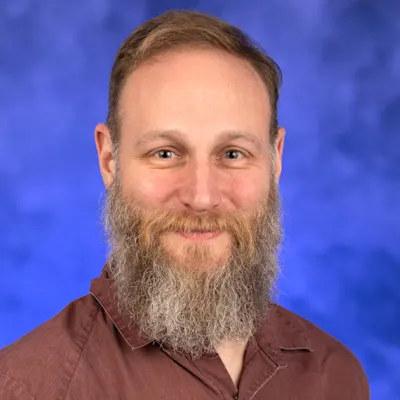
Michael Grillo
Manager, Advanced Light Microscopy Core
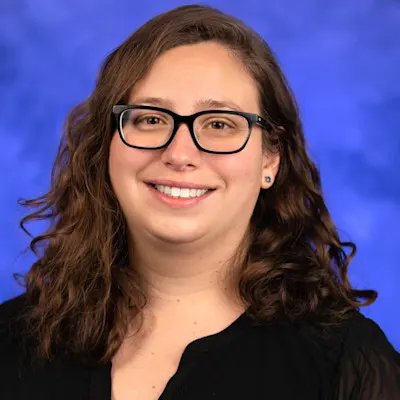

Han Chen, MD, PhD
Research Project Manager, Penn State College of Medicine